
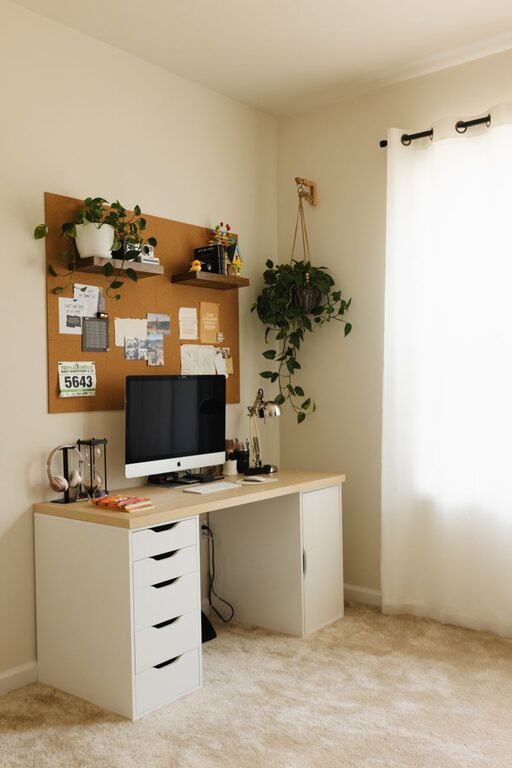
Creating a cozy and functional home workspace is essential for anyone who works from home or spends a lot of time on personal projects. A well-designed workspace can boost productivity, reduce stress, and make your work hours more enjoyable. Whether you have a dedicated room or just a small corner, these tips will help you transform your area into a comfortable and efficient spot for work.
Choose the Right Location
Your workspace’s location plays a big role in how productive and comfortable you feel.
– Natural Light: Try to set up near a window to benefit from natural daylight. It can improve mood and focus.
– Minimal Distractions: Find a quiet area away from loud noises or heavy foot traffic.
– Space Needs: Make sure you have enough room for your equipment, documents, and any other work essentials.
Invest in Comfortable Furniture
Comfort is key when you spend hours working.
– Ergonomic Chair: Choose a chair that supports your back and encourages good posture.
– Desk Height: Ensure your desk is the right height to avoid strain on your wrists and shoulders.
– Flexible Layout: Consider a desk with adjustable height or a standing desk option to switch positions during the day.
Optimize Lighting
Good lighting reduces eye strain and creates a pleasant environment.
– Layered Lighting: Use a combination of ambient, task, and accent lighting.
– Desk Lamp: A focused light source helps when reading or working on detailed tasks.
– Avoid Glare: Position screens and lights to minimize glare and reflections.
Organize Efficiently
Keeping your workspace organized saves time and reduces stress.
– Use Storage Solutions: Drawers, shelves, and bins help keep supplies tidy.
– Declutter Regularly: Remove items you don’t use often to keep the space clear.
– Cable Management: Use clips or tubes to keep cords neat and out of the way.
Personalize Your Space
Adding personal touches makes your workspace inviting.
– Plants: Small indoor plants improve air quality and add a calming touch.
– Artwork or Photos: Choose inspiring images that motivate you.
– Decorative Items: Use items that reflect your personality but avoid cluttering.
Incorporate Functional Technology
Technology can enhance your workflow when used wisely.
– Reliable Internet: Ensure you have a stable connection for video calls and online tasks.
– Quality Equipment: Invest in a good monitor, keyboard, and mouse to make work easier.
– Headphones: Noise-cancelling headphones are helpful in noisy environments.
Establish Boundaries
Maintaining work-life balance is important when working from home.
– Defined Workspace: Keep your workstation separate from your living or relaxation spaces.
– Set Work Hours: Use your workspace during set times to switch into “work mode” and then back to “home mode” afterward.
– Break Area: Create a spot away from your desk where you can take breaks to refresh your mind.
Keep Comfort in Mind
You want your workspace to be a place you look forward to using.
– Temperature Control: Make sure the area is neither too hot nor cold.
– Comfort Items: Include a cozy blanket, a supportive cushion, or a footrest.
– Air Quality: Open windows or use air purifiers to keep the air fresh.
Final Thoughts
Designing a cozy and functional home workspace doesn’t have to be complicated or expensive. By focusing on comfort, organization, lighting, and personalization, you can create a space that helps you stay productive while feeling relaxed. Start by making a few small changes, and gradually build a workspace that suits your needs and style perfectly. Your workday will thank you!